By Dennis Walthers, Founder and CEO of Interactive Dallas
Start with the time someone will reveal the mosaic, then work backward to the last usable photo, a review window, and a cue with the show team. If the image is going on a screen later, make the AV handoff its own task. Agree on the file, who receives it, and which screen or playback system will use it. The moment guests see the mosaic and the moment a technician can load the file are separate deadlines.
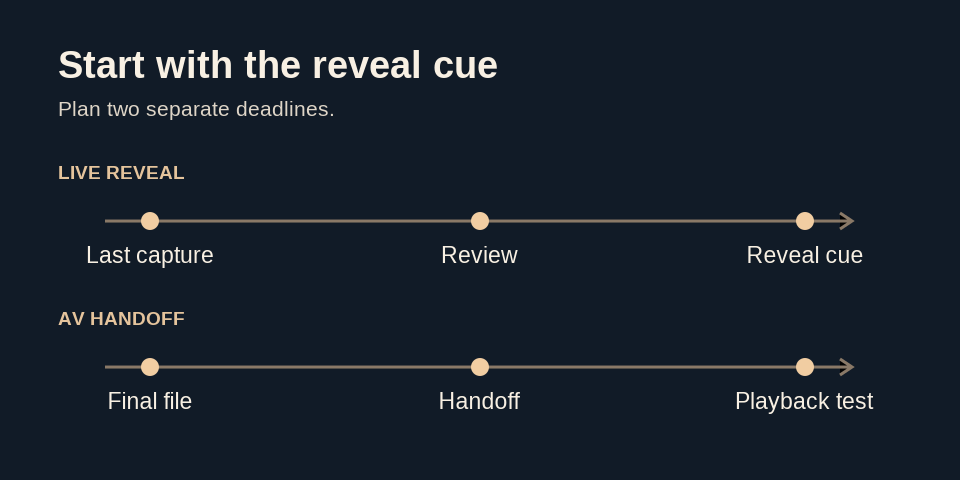
Put the reveal cue on the run of show
On a conference brief I worked from, the organizer planned a mosaic reveal in the evening and asked for a high-resolution digital image for the next morning’s stage. The overnight turnaround made this a two-part plan. The first job was to collect and review the photos in time for the scheduled reveal. The second was to get a file and clear display instructions to the production team.
I’d put these checkpoints in the plan, in this order:
- Reveal: Who gives the cue? What appears when they do? Who decides what shows if the final composition needs more time?
- Review: Who signs off on the final image before it’s shown?
- Last capture: When should photographers stop collecting images so the mosaic team can prepare the reveal?
- AV handoff: Who exports the approved image, who confirms receipt, and when can the technician test it?
A quiet stretch before the reveal isn’t spare time. It’s when I’d check the image and make sure the person calling the show knows what they’re cueing.
Agree on source art and the screen file separately
That same planning exchange clarified a detail worth catching early: use the approved event artwork, not another logo that happened to be on hand. Ask for the source file in advance and name one person who can approve changes. For the separate stage deliverable, ask AV for the target aspect ratio or pixel canvas, the accepted file format, and any playback notes. Send the exact pixel dimensions and ask the receiving technician to confirm the image loads without unwanted crop or stretch.
If you’re planning a live mosaic, our team at Interactive Dallas designs staffed photo and mosaic experiences. Bring the show schedule, target artwork, and production contact to the first conversation.
Frequently asked questions
Is the last photo time the same as the reveal time?
No. Leave time to place and review images. Agree on what happens if a late photo can’t make the scheduled reveal.
Which file format and size should we request?
Ask AV first. “High resolution” isn’t enough on its own. Confirm exact pixel dimensions, aspect ratio, accepted format, and whether AV will scale or crop the image.
Who approves the source artwork?
Name one client-side approver. Share the correct artwork and identify any sponsor or agency marks that should be included or left out.
Can the same file be used for a stage screen and a print?
Maybe, but don’t count on it. Ask the stage operator and printer for their requirements separately, especially if the canvas shapes differ.
What if there are fewer approved photos than planned at the cutoff?
Agree on a fallback in advance, such as using an approved artwork-only image or moving the reveal if the show caller can accommodate it. Don’t promise a coverage level without a plan for participation.
How do we know AV received the right version?
Give the final file a clear name and version, provide the display instructions, and have the person who will play it acknowledge receipt and test it before the cue.